ProfilER
Purpose:
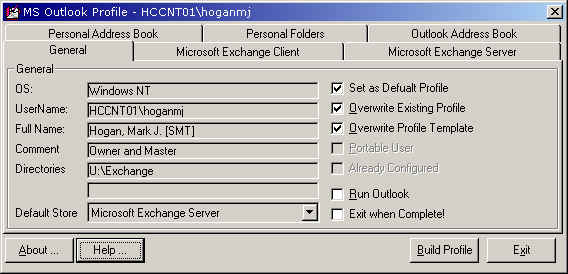
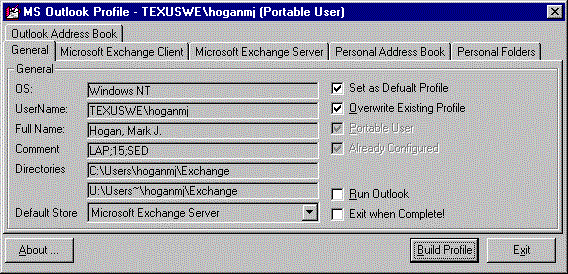
Profiles.exe is an automatic profile generation program for MS Outlook. Profiles.exe is a VB 6 program that looks up the interactive user's NT id and generates a PRF file based upon the user's group membership. It determines if a user is a portable user by either looking at a specific group passed as a commandline argument (/g group_name) or it defaults to PortableUser. If a user is a portable user, then it creates 2 profiles with the following Services (unless the PRF file is editted):
- Portable Users
- On My Portable
- Exchange Client
- with off-line folders pointing the <Path>\<nt id>\Exhcange\<nt id>.ost
- Personal Folders
- pointing the <Path>\<nt id>\Exhcange\<nt id>.pst
- Personal Address Book
- pointing the <Path>\<nt id>\Exhcange\<nt id>.pab
- Outlook Address Book
- Exchange Client
- On Another Workstation
- Exchange Client
- without off-line folders
- Personal Folders
- pointing the U:\Users~\<nt id>\Exhcange\<nt id>.pst
- Personal Address Book
- pointing the U:\Users~\<nt id>\Exhcange\<nt id>.pab
- Outlook Address Book
- Exchange Client
- On My Portable
- Desktop Users
- Exchange Client
- Personal Folders
- pointing the U:\Exhcange\<nt id>.pst
- Personal Address Book
- pointing the U:\Exhcange\<nt id>.pab
- Outlook Address Book
It utilizes the NewProf and ProGen utilities that are available in the Miscrosoft Resource Kits to create the actual profile(s) from the PRF files that Profiles.exe generates.
Below are the configuration files that controls the way the program functions.
Profiles.exe
- Profiles.ini - App paramters
- <??????>.prf - Template PRF file that is used to create the Profile.
- RES_DOM.CMD - A command file that has additional control parameters via Environment Variables.
- NTIDtoEmailID.ini - NT ID to E-Mail ID Mapping File
Profiles.ini
[Config]
MailApp="C:\Program Files\Microsoft Office\Office\Outlook.exe"
UserMappingINI=Y:\Exchange\NTIDtoEmailID.ini
OSNT=True/False or 1/0
OS9x=True/False or 1/0
OS16=True/False or 1/0
RefreshTemplate=True/False or 1/0
PortableHome=C:\Users\
[Servers]
HomeDrive=SITESERV1
[Users]
HomeDrive=U
Directory=Exchange
[Citrix]
ConfigOffice=Y:\Citrix\ConfigOffice.bat
ConfigXVision=Y:\Citrix\ConfigXVision.bat
MailApp=D:\Apps\Office32\Office\Outlook.exe
<??????>.prf
; Sample PRF file.
; ----------------
; Copyright (C), Microsoft Corporation, 1996.
;
; The following PRF file is included as an example of how
to create a PRF file for creating
; a profile. Section 1, 2, and 3 may be modified. DO NOT MODIFY
SECTION 4. It will most
; likely cause exchange services to crash. Be very careful
when editing to ensure property
; values match their property types.
; Section 1 - Profile defaults.
[General]
ProfileName=Default Exchange Profile
; This sets this profile (named as the
NT ID or alias) as the default profile, unless the user is
a portable user in which Outlook is set up to prompt the user
each time.
DefaultProfile=Yes
; The profile is recreated EVERY time
Profiles.exe is executed.
OverwriteProfile=Yes
; This sets the default
service to Exchange (Service2)
DefaultStore=Service2
; ************************************************************************
; ************************************************************************
; ************************************************************************
; Section 2 - Services in profile.
[Service List]
Service1=Microsoft Exchange Client
Service2=Microsoft Exchange Server
Service3=Personal Address Book
Service4=Personal Folders
Service5=Outlook Address Book
; ************************************************************************
; ************************************************************************
; ************************************************************************
; Section 3 - Default values for each service.
[Service1]
AfterMoveMessage=0
CheckSpelling=TRUE
;-----------
[Service2]
ConversionProhibited=TRUE
; There needs to be a DNS CNAME that
points exchange to a MSX Server
HomeServer=exchange
; If the user is a portable user,
then Profiles.exe will add this line and point it to <Path>\<ntid>\Exchange\<ntid>.ost,
(or the alias). If the user is NOT a portable user,
then this line is ommited. It is also omitted for a
Portable User's On Another Workstation Profile.
OfflineFolderPath=1
; Profiles.exe will set the follong
entry to the NT ID (or the alias)
MailboxName=NONE
[Service3]
; If the user is a portable user, then
Profiles.exe will change this line and point it to <Path>\<ntid>\Exchange\<ntid>.pab,
(or the alias). If the user is NOT a portable user,
then this line is set to U:\Exchange\<ntid>.pab.
If this profile is a Portable User's On Another Workstation
Profile, then it is set to U:\Users~\<ntid>\Exchange\<ntid>.pab.
PathToPersonalAddressBook=c:\exchange\mailbox.pab
ViewOrder=1
[Service4]
; If the user is a portable user, then
Profiles.exe will change this line and point it to <Path>\<ntid>\Exchange\<ntid>.pst,
(or the alias). If the user is NOT a portable user,
then this line is set to U:\Exchange\<ntid>.pab.
If this profile is a Portable User's On Another Workstation
Profile, then it is set to U:\Users~\<ntid>\Exchange\<ntid>.pab.
PathToPersonalFolders=outlook.pst
EncryptionType=0x40000000
[Service5]
Ben=True
RES_DOM.CMD
@Echo Off
Set Exchange_PRF_Name=<??????>.prf
Set Exchange_PST_Name=%USERNAME%.pst
Set Exchange_PAB_Name=%USERNAME%.pab
Set Exchange_OST_Name=%USERNAME%.ost
Y:\Exchange\Profiles.exe
NTIDtoEmailID.ini
[Mapping]
;NTID=MailID
hoganmj=mjhogan
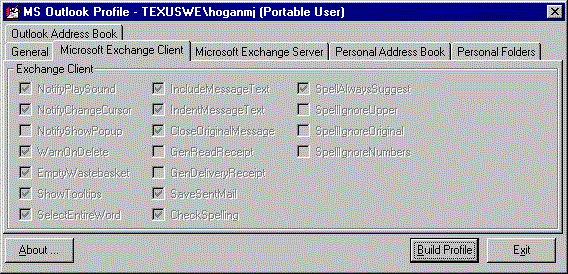
Exchange Client Setup
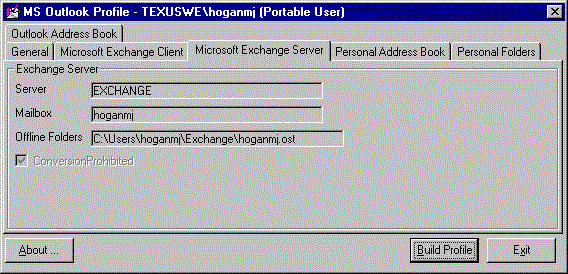
Exchange Server Setup
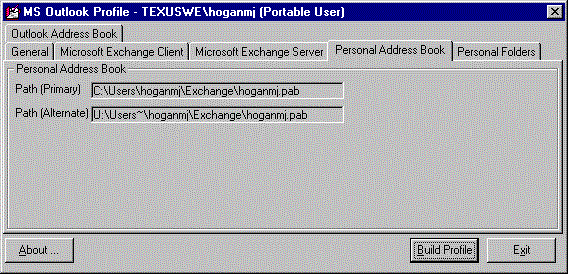
Personal Address Book Setup
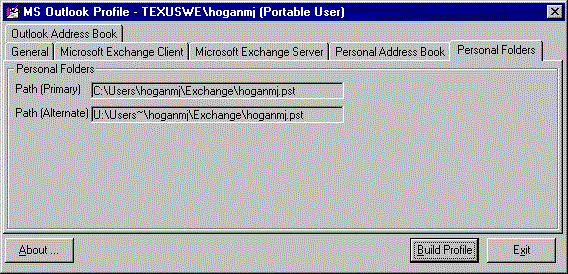
Personal Folders Setup
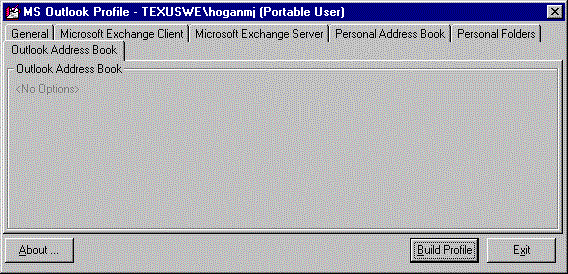
Outlook Address Book Setup
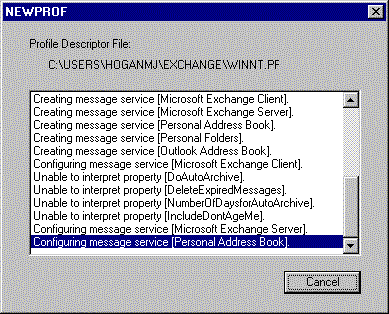
Newprof in Action
Ready